Microsoft Inclusive Emoji
Goal: Collaborate across teams to bring users a way to customize their family emoji. Design a system to make emoji more inclusive and reflective of the diversity in real-world families.
Overview:
Each year Microsoft hosts a Fix Hack Learn event so that designers and developers across the company have the opportunity to collaborate on projects that will make a difference in the lives of their users. I teamed up with the Expressive Input team in order to design a user flow that would make emoji families more inclusive.
At the time of this project, black families were widely some of the most requested emoji, but were consistently being left out of new releases. Unicode only required companies to include the standard yellow families which they considered to be ambiguous and representative of all skintones. However, yellow is often perceived to be representative of white or light skintones. As a result, families of color and interracial families were completely left out of the emoji library for all operating systems.
Since adding every possible combination of family members to the library would result in over 52,000 new emoji, we needed to design a user flow that would minimize the space needed within the keyboard while still making each of those combinations available.
Our final pitch to the Windows organization is available below.
Final Design:
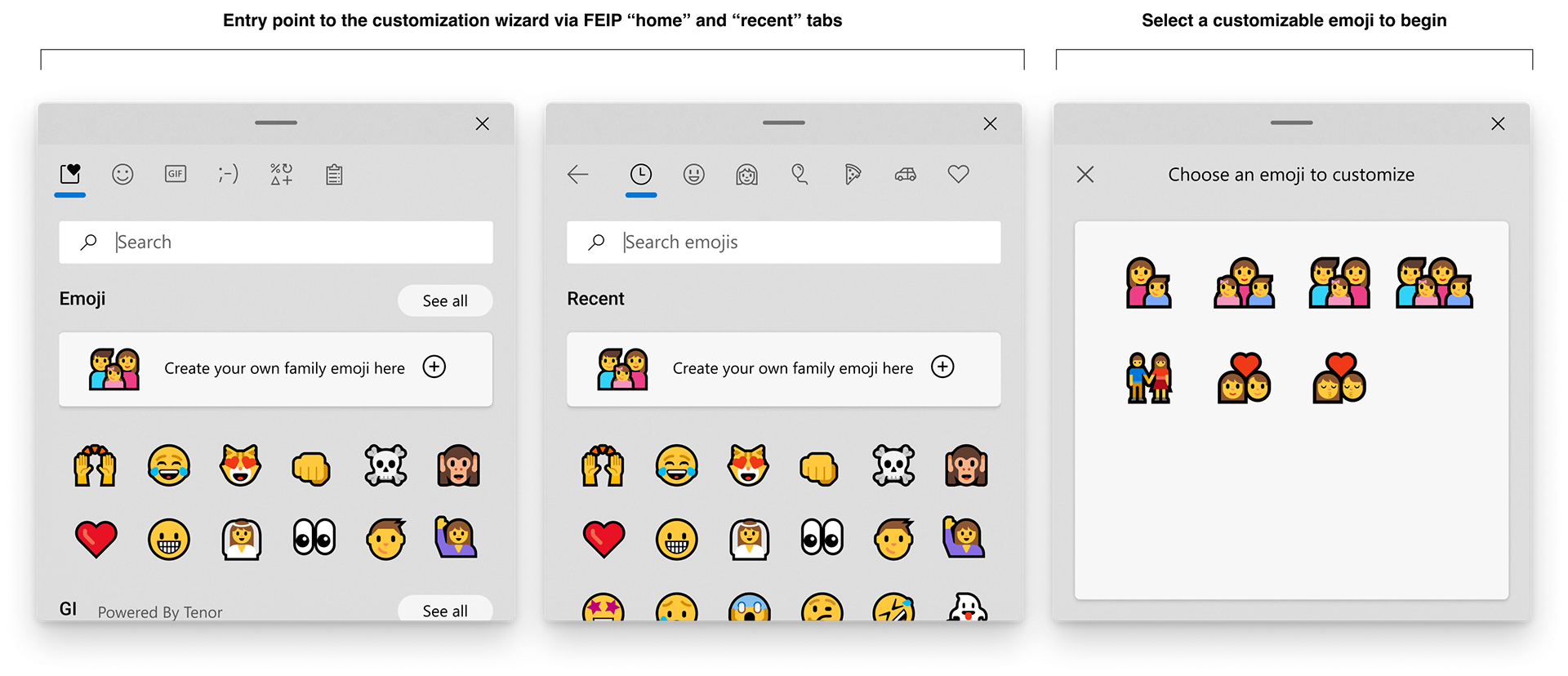
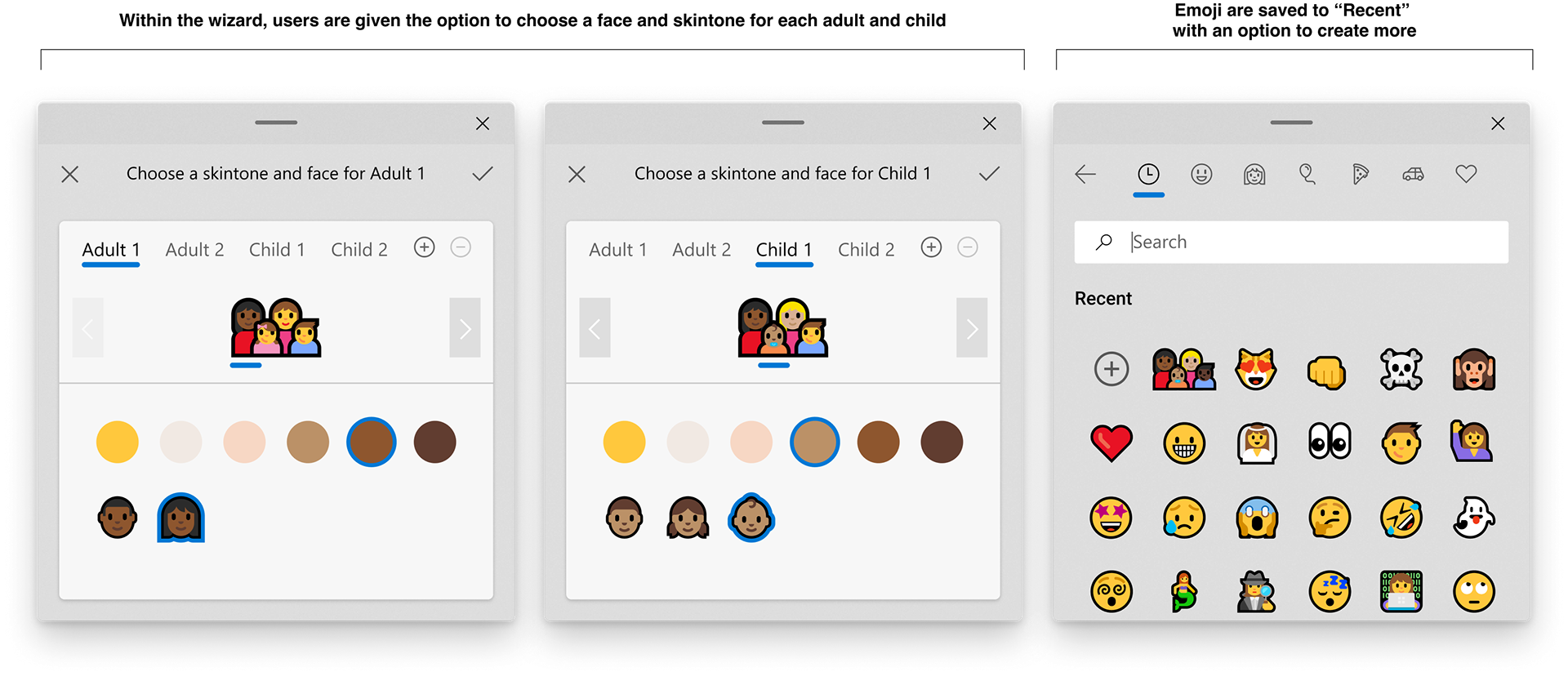
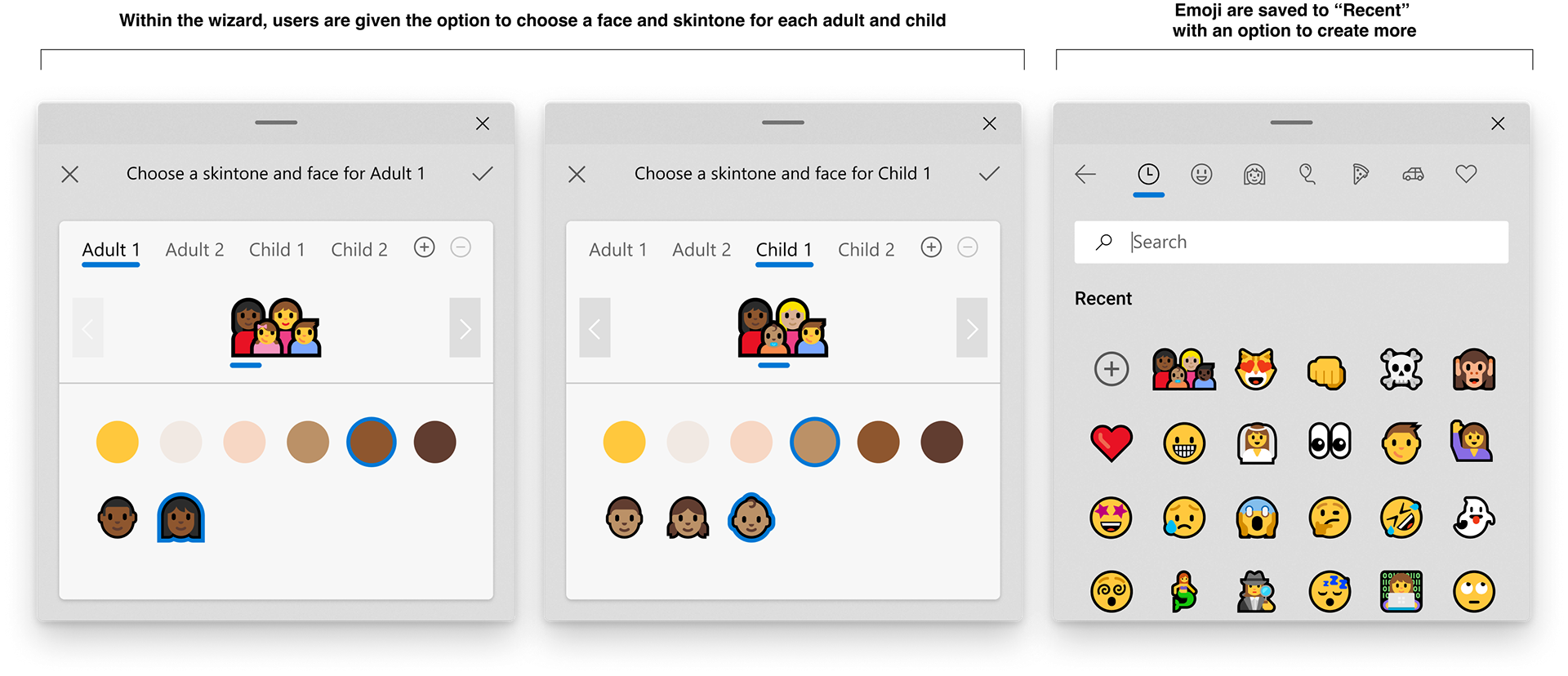
Here you can see the final interface I designed as part of the FHL project. While Microsoft emoji are used within several key surfaces, I focused on the Floating Expressive Input Panel (FEIP). This panel is readily available on any Windows device using the keycommand "Windows Key + Period (.)". The panel allows users to insert an emoji into any text field such as a Teams chat or web browser making it an important surface to focus on when bringing the new functionality to users.
Considerations:
1. There are several emoji that would become customizable, including single and two parent families as well as couples without children
2. Future emoji releases will introduce gender-neutral characters to the library, so the solution would need to be scalable to add them as an option for families as well
3. Since Microsoft emoji uses ZWJ sequences, the emoji would need to be customized from left to right beginning with adults and ending with children
4. The solution shouldn't vary too differently between surfaces, so the design for the FEIP should be able to adapt easily to the Wonderbar, SIP, and Swiftkey keyboards
5. While users are familiar with Apple's "press and hold" method, Microsoft's emoji keyboards don't support that functionality and require users to select the skintone prior to choosing an emoji
Process:
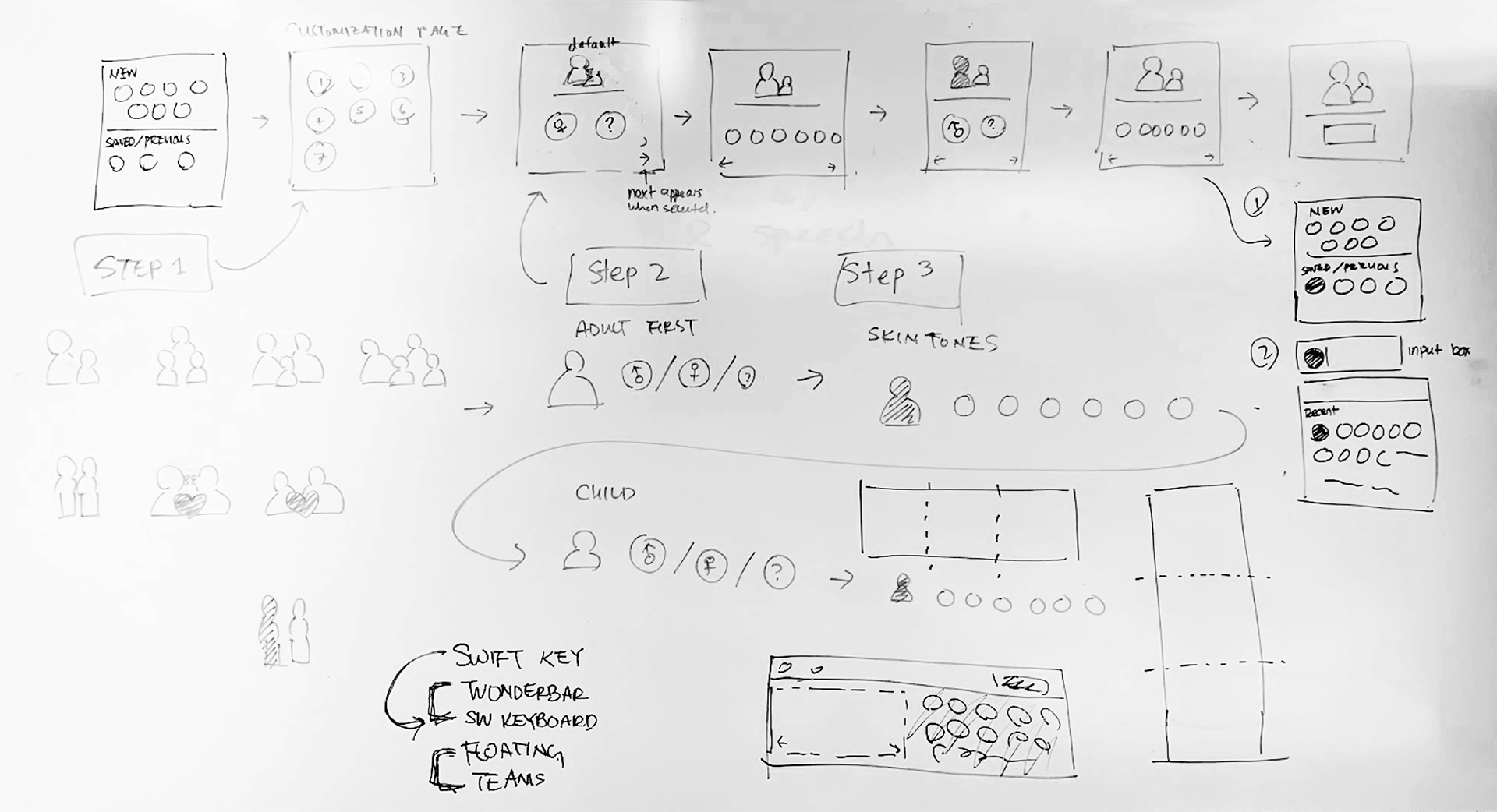
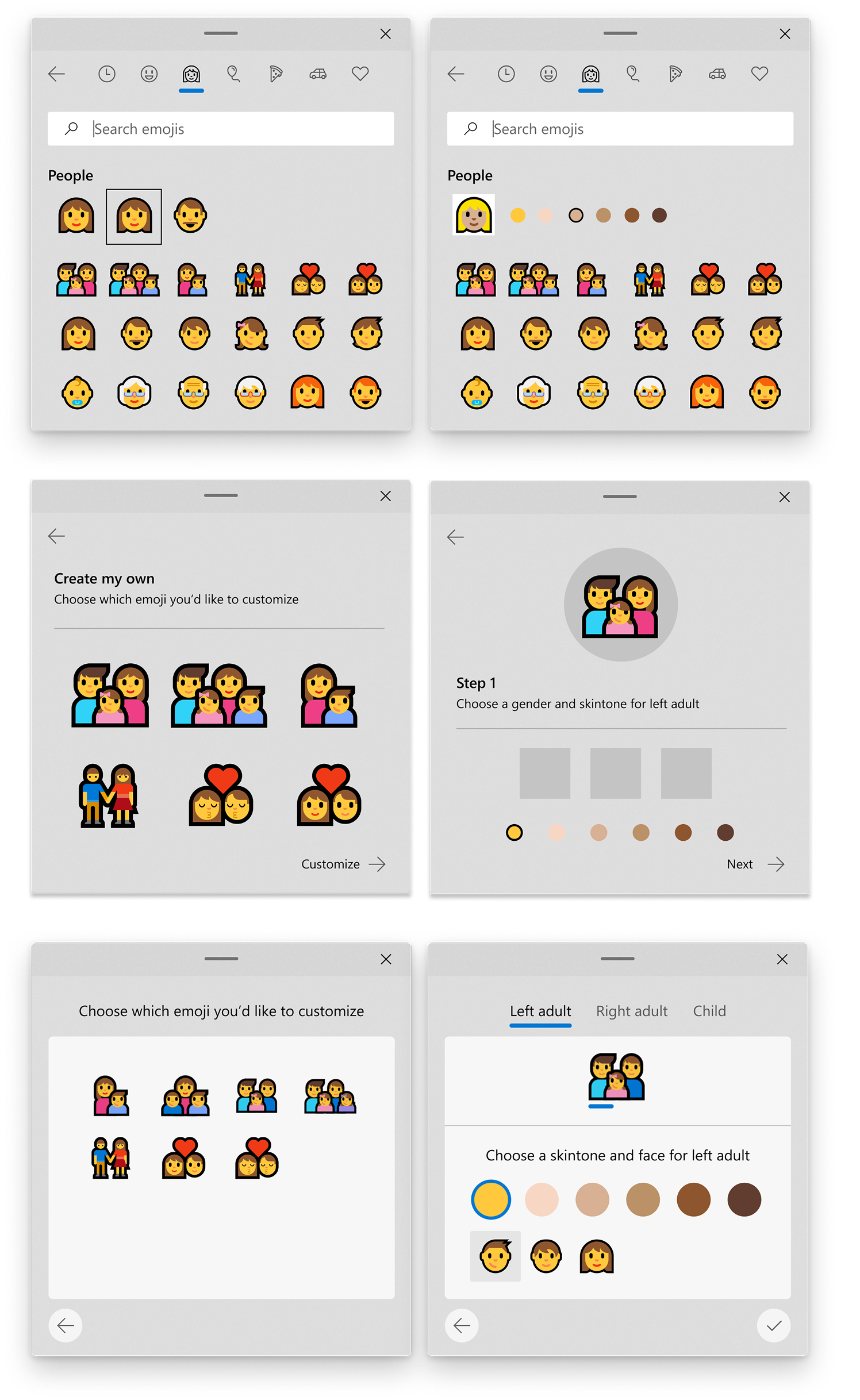
Below I've included a few sketches and early drafts of the interface. The first concept had users select gender and skintone within the keyboard itself. Later concepts shifted toward a "wizard" that would allow users to clearly focus on each step. The final solution expanded on the third concept, aligning the UI to the Microsoft Fluent system and allowing users to add additional children beyond the Unicode standard of 1 or 2.