SyncUP KIDS: Video Calling
Goal: Introduce a feature that allows SyncUP KIDS watches to video call with approved contacts via the T-Life app.
Overview:
For children too young for a smartphone, T-Mobile brings parents peace of mind with the SyncUP KIDS Watch. Using the locate tab of the T-Life app, parents are able to track their child’s location, set chore reminders, and turn on a variety of safety settings. From the watch, kids enjoy the ability to text approved contacts, play games, and take photos.
In order to remain competitive with other smart watches on the market, we would conduct regular focus groups and user tests to understand what our customers both big and small were hoping to see in our device. Each time, there was always one feature that was requested more than any other. Both children and their parents alike wanted video calling.
Kids want features that make them feel grown up and independent (while still prioritizing fun), and parents wish to provide an easy and safe way for their children to communicate with loved ones. So when we began work on the second generation of the watch, choosing to make video calling our keystone feature was a no-brainer!
As with most SyncUP KIDS projects, this design is two-fold, requiring the experience to be fully realized both in the T-Life app as well as on the IOT device.
Final Design:
Below you can see key screens from the “happy path” in both the T-Life app as well as the SyncUP KIDS Watch. You can also explore the full flow here.
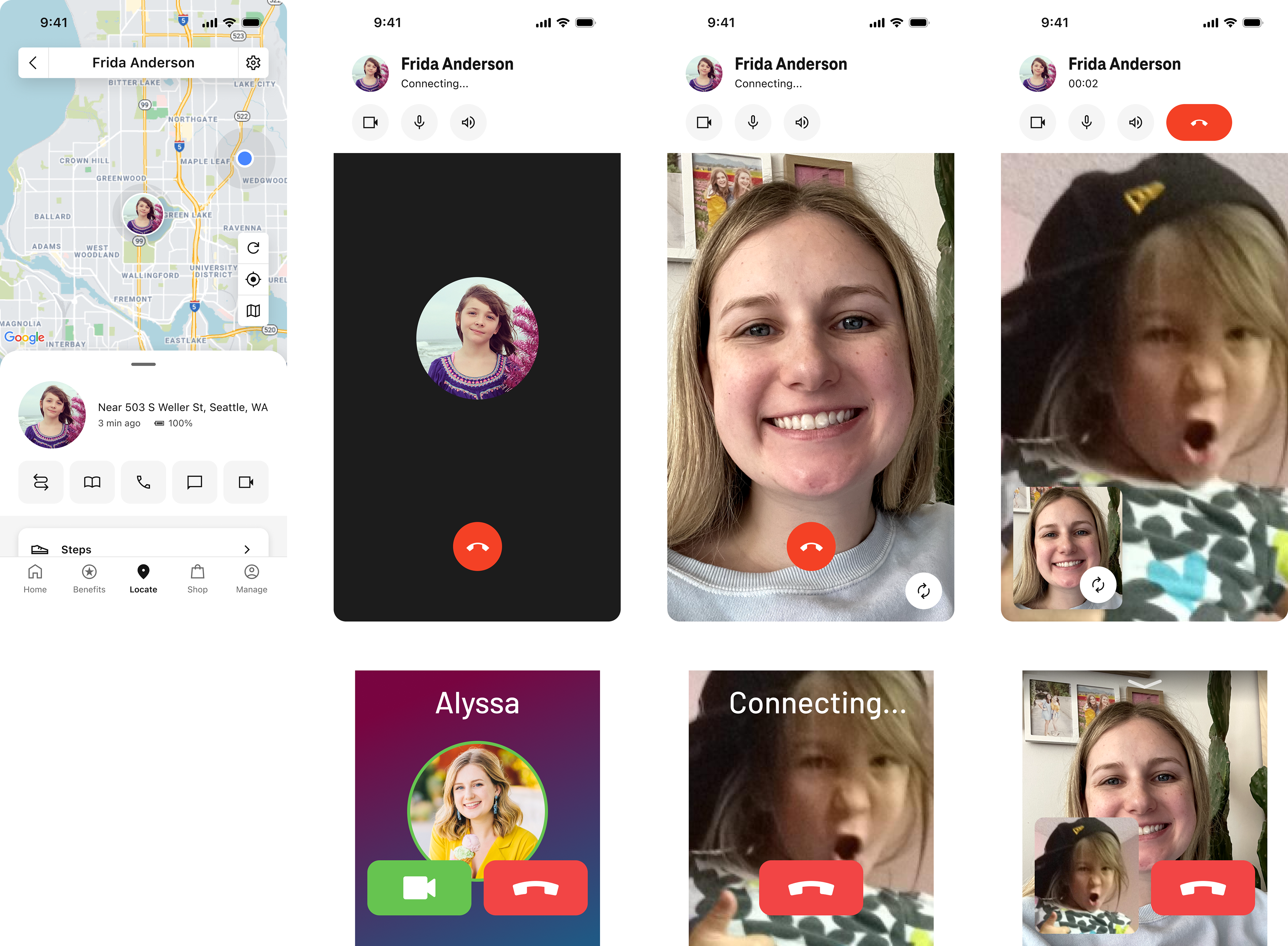
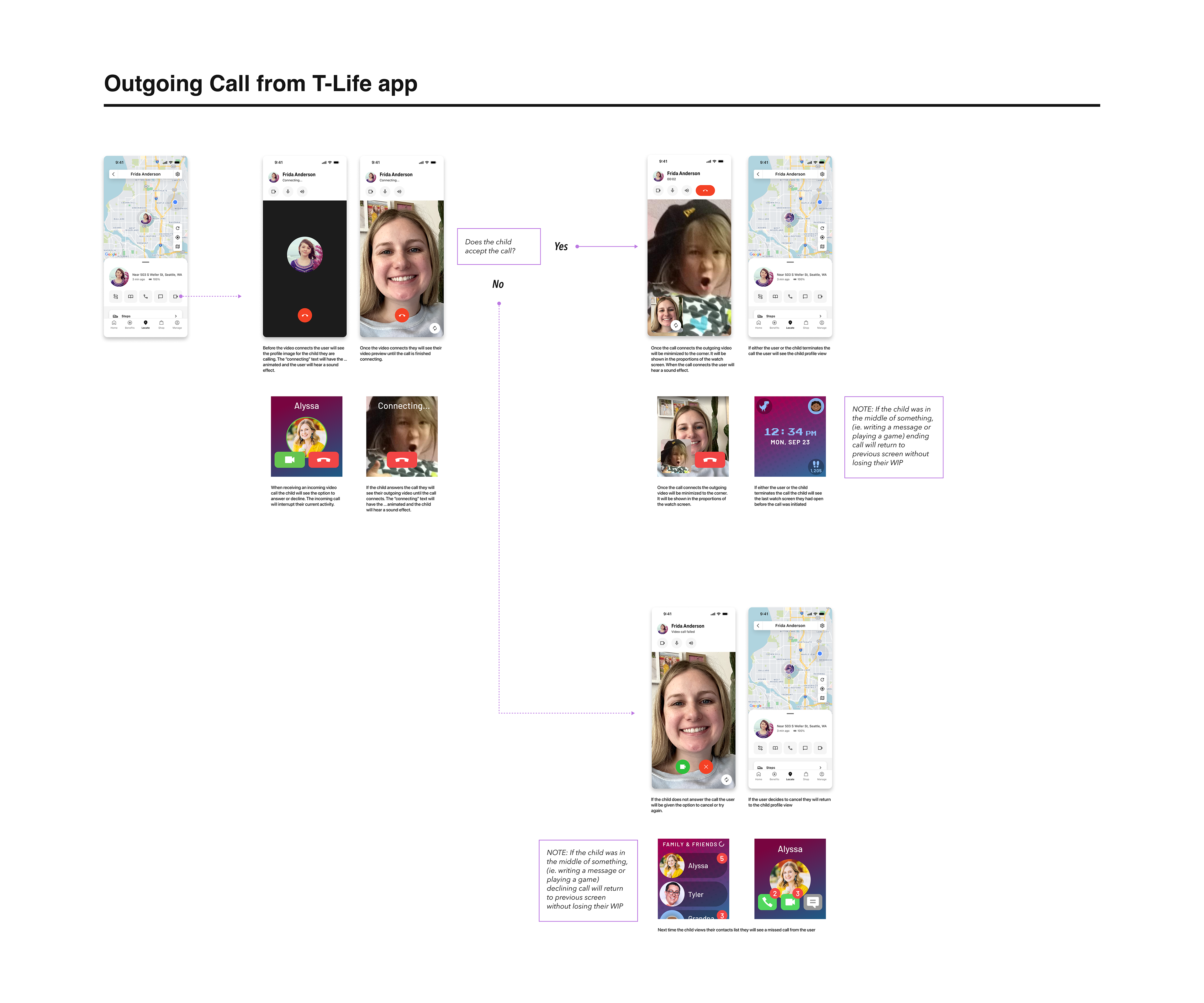
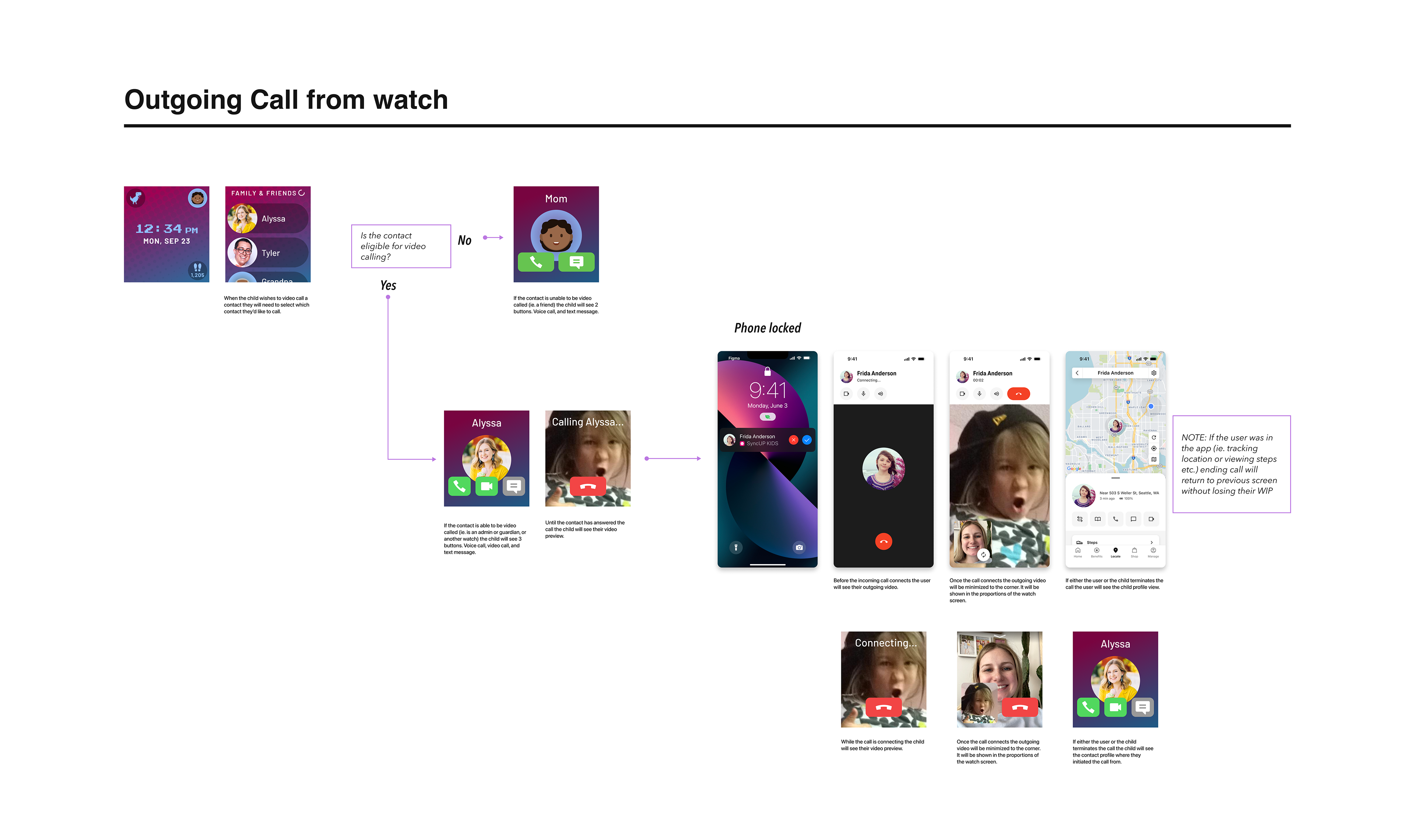
Considerations:
1. The watch screen is small, with a very limited real estate for the interface
2. Children would only be permitted to video call with approved contacts, during approved hours
3. Due to hardware limitations and parental controls, there was a wide variety of edge cases and error screens that would need to be included, for example low or overheating watch battery
4. The watch experience would need to be scaled to include watch-to-watch calling in a future release
5. When the work was initially kicked off, SyncUP KIDS was a standalone app, but during the design process T-Life was introduced and we had to pivot to make this feature work as part of the new “super app”
Process:
When I began design on video calling, I first took my time to benchmark popular user experiences like Facetime, Whatsapp and Zoom. I didn’t want to reinvent the wheel, but rather learn what works well for users while customizing it for our use case.
Then I mapped out the flow from start to finish, making sure to include each of the scenarios the user might face. For example, if a watch battery drops below 10% it is unable to support the camera. I needed to consider what both the parent and child would see.
Once I fleshed out each edge case and potential error, I began finalizing the UI. T-Life uses the Arrow design system to keep components consistent throughout the app, but many of the features for SyncUP KIDS are unique. Using the design system as a jumping off point, I was able to create new components that still matched the look and feel of the rest of the app.
Below you can see the experience in different stages throughout the design process, including early explorations of watch-to-watch calling:
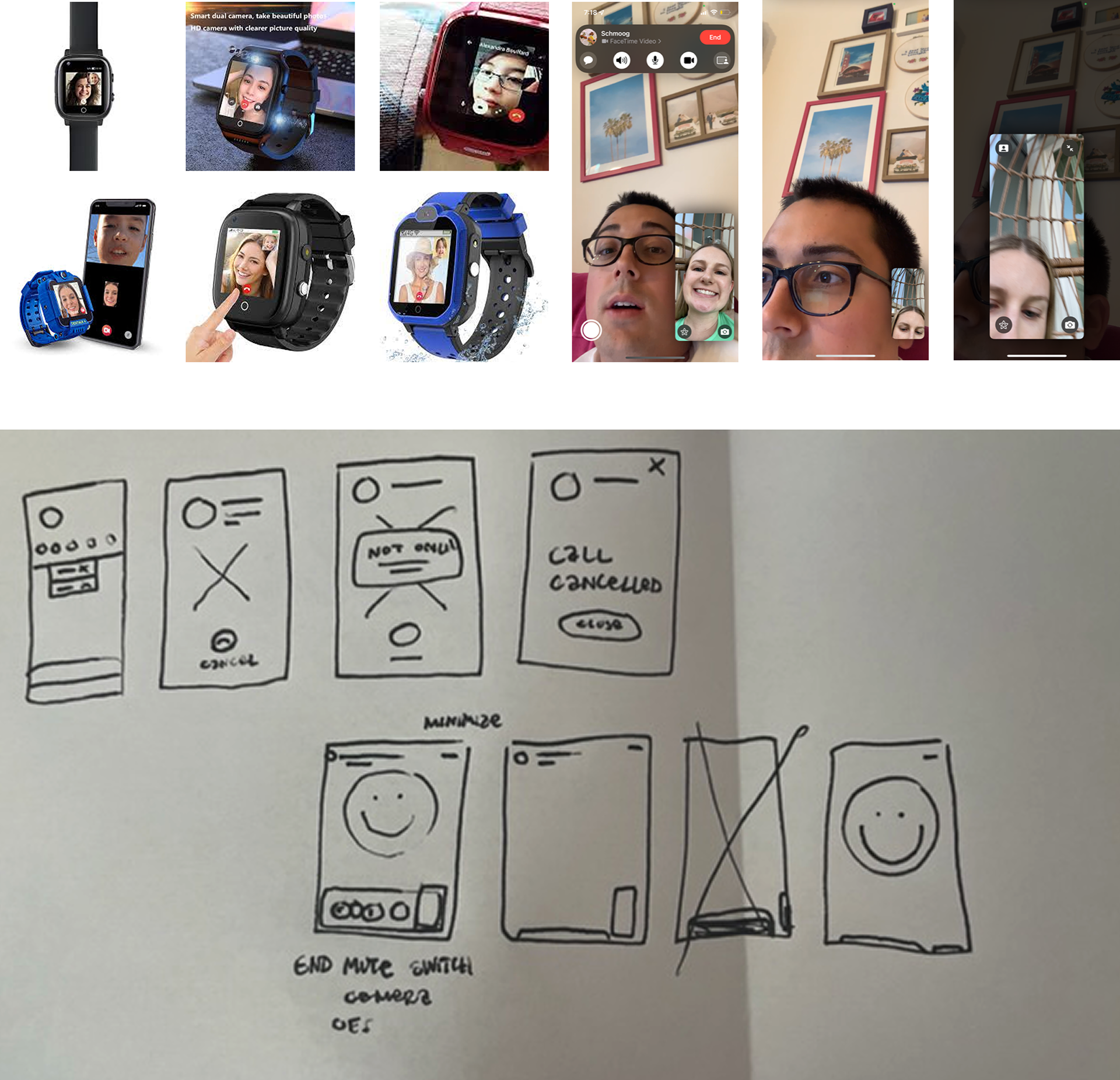
I started with testing other video calling experiences, and made a super quick map of what we would need at a very high level.
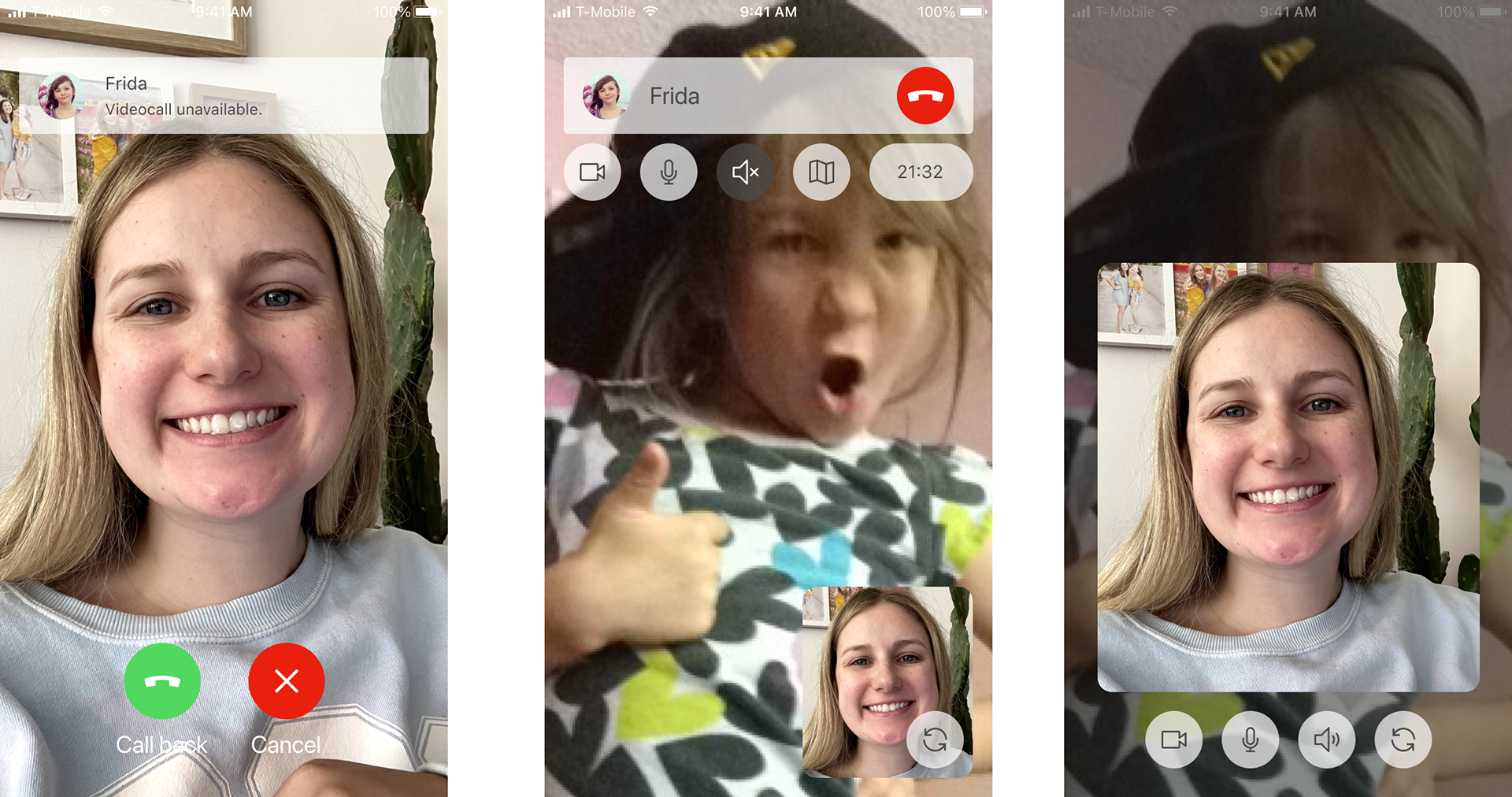
The first concept gave the video stream maximum real estate, but the UI wasn't accessible and broke from our design system. It also had problems with the aspect ratio, since the watch screens are closer to a square.
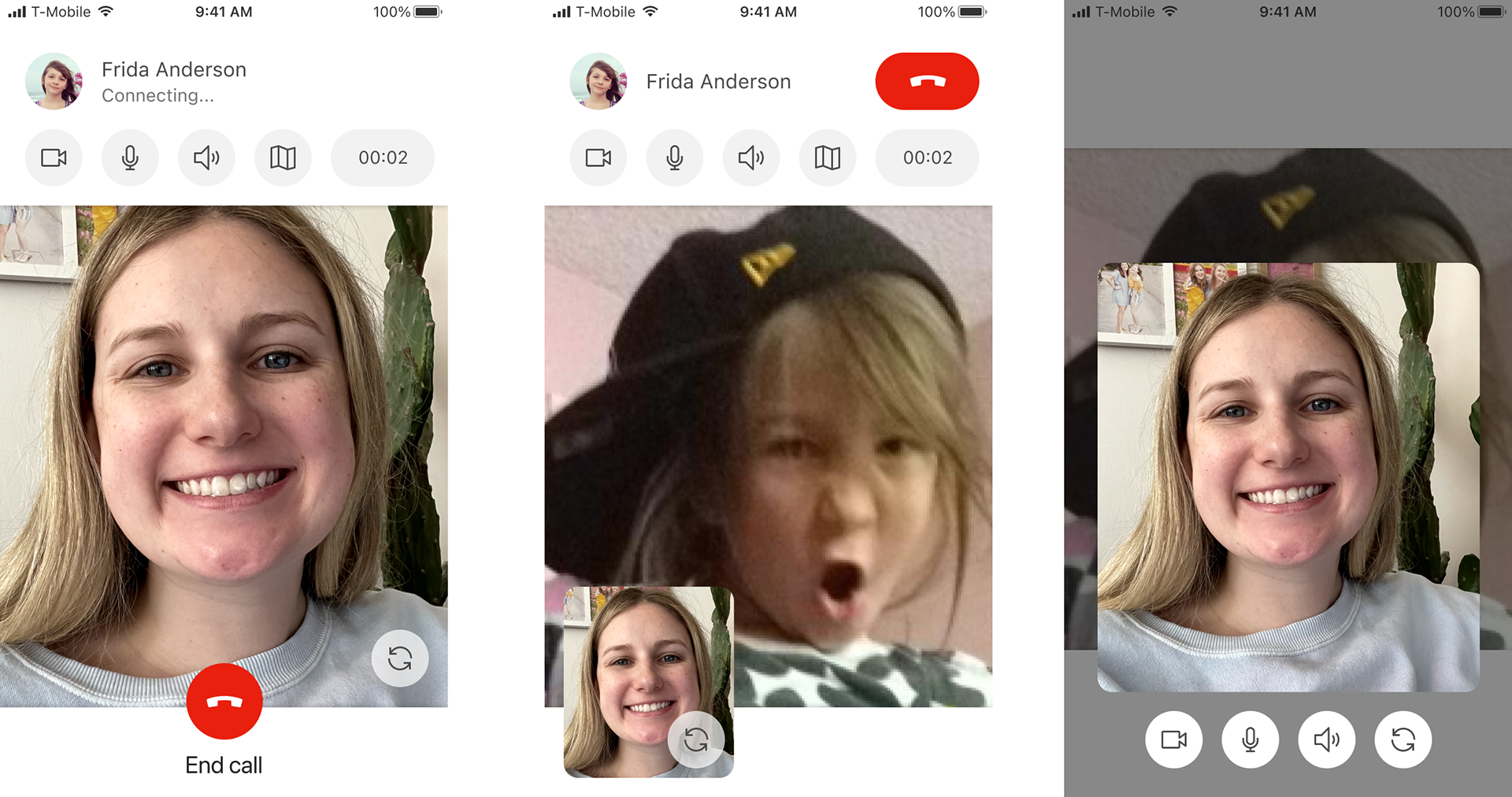
This design was set to ship in the SyncUP KIDS app, before the announcement of T-Life caused us to pivot. The entire experience had to be reworked to align to the brand new T-Life design system in order to be part of the app at launch.
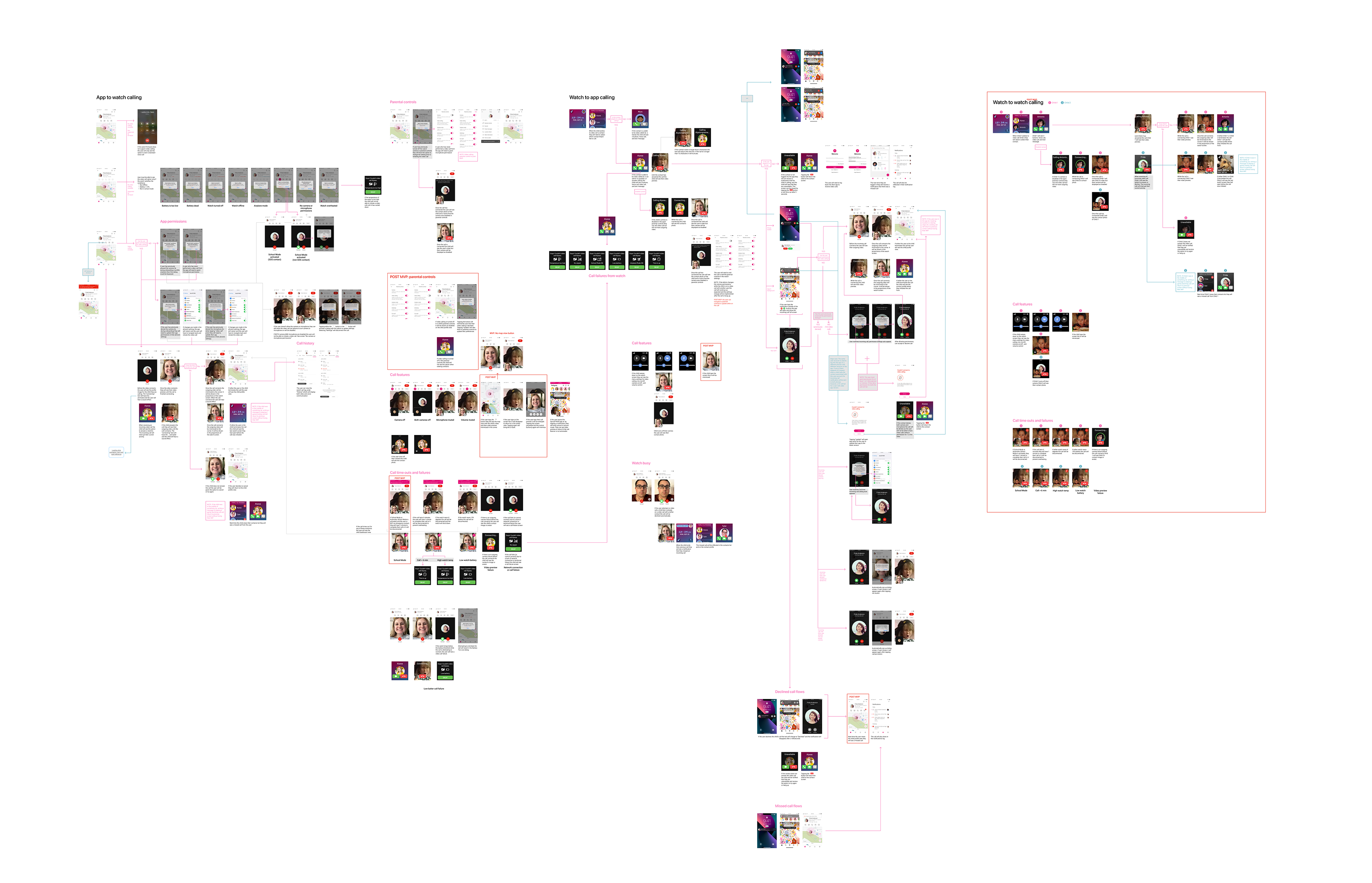
A high level overview of how many screens go into the feature, due to the many edge cases and device limitations the watch introduces. If the user is able to experience our "happy path", they would see just 4-5 different screens.
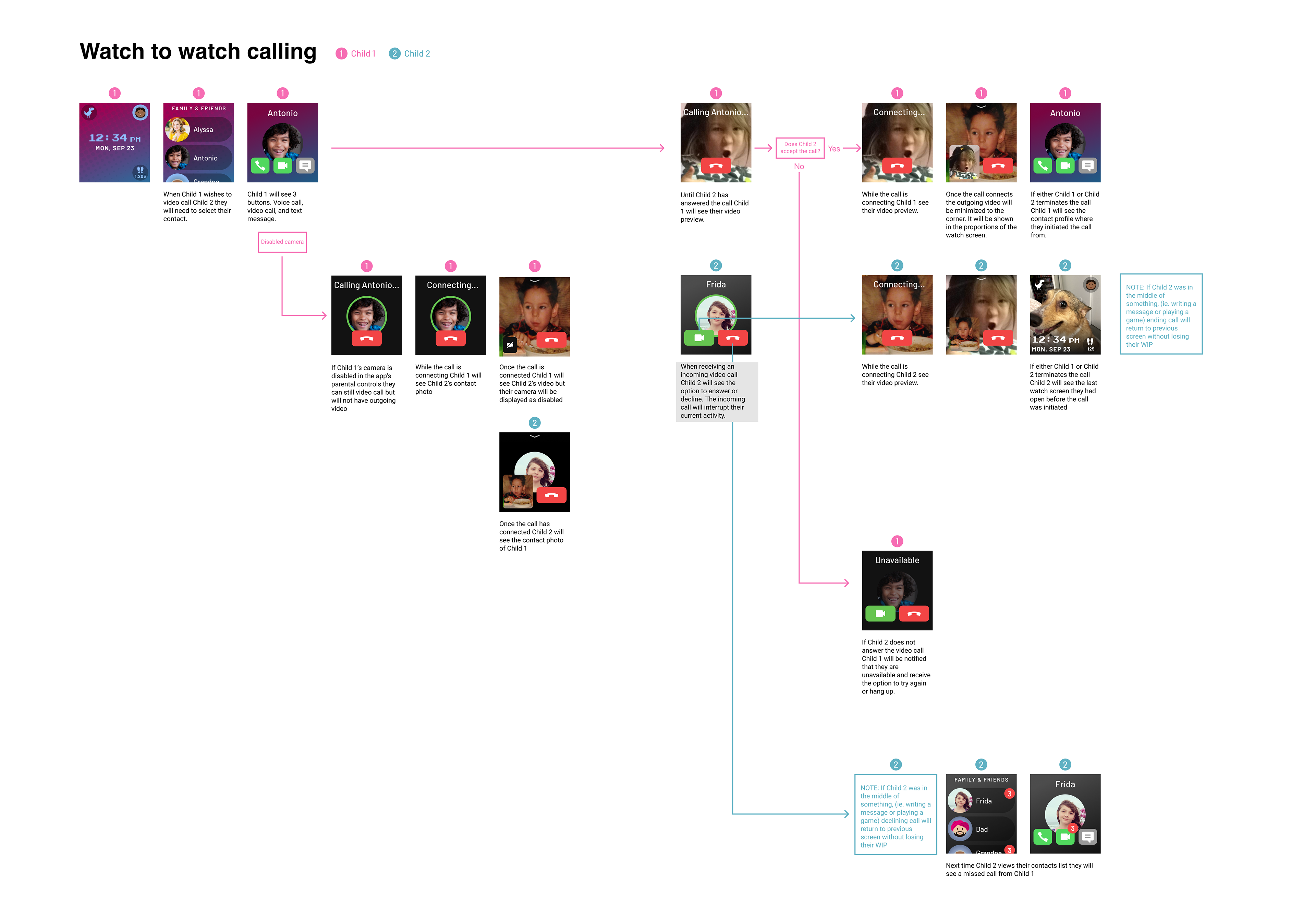
My initial explorations included a scenario where children could call other watches on their approved contacts list, but unfortunately this work was descoped before release.